Product Case Study
AI Chat Bot for Profile Enrichment
apna Jobs’ AI bot nudges candidates to fix their profile. Three versions later, the fix wasn’t the UI — it was knowing which questions deserved to be asked.
54%
interaction rate
51.4%
1-day completion
21%
freshers updated profile
Role
Sole UX researcher, all 3 versions.
Method
Usability testing + audit of 60,000+ real edits.
Scale
Shipped to 100% of users.
01
Why this bot needed
Recruiters skip incomplete profiles in search results, and most candidates don’t know what’s missing or vague.
Problem 1
Recruiters skip incomplete profiles in search results.
Problem 2
Candidates don’t know what’s missing or vague.
Problem 3
Profiles are back dated, and too many soft skills
02
What we decided to build
Recruiters skip incomplete profiles in search results, and most candidates don’t know what’s missing or vague.
Idea
Recruiters scroll past incomplete profiles in seconds. Candidates never find out why.
Concept
A chat-style bot inside the job feed — not a buried settings form.
Hypothesis
If the bot flags exactly what's missing, in the moment, people will fix it.
Scope
Flag everything at once — title, roles, skills, industry — in a single pass.

03
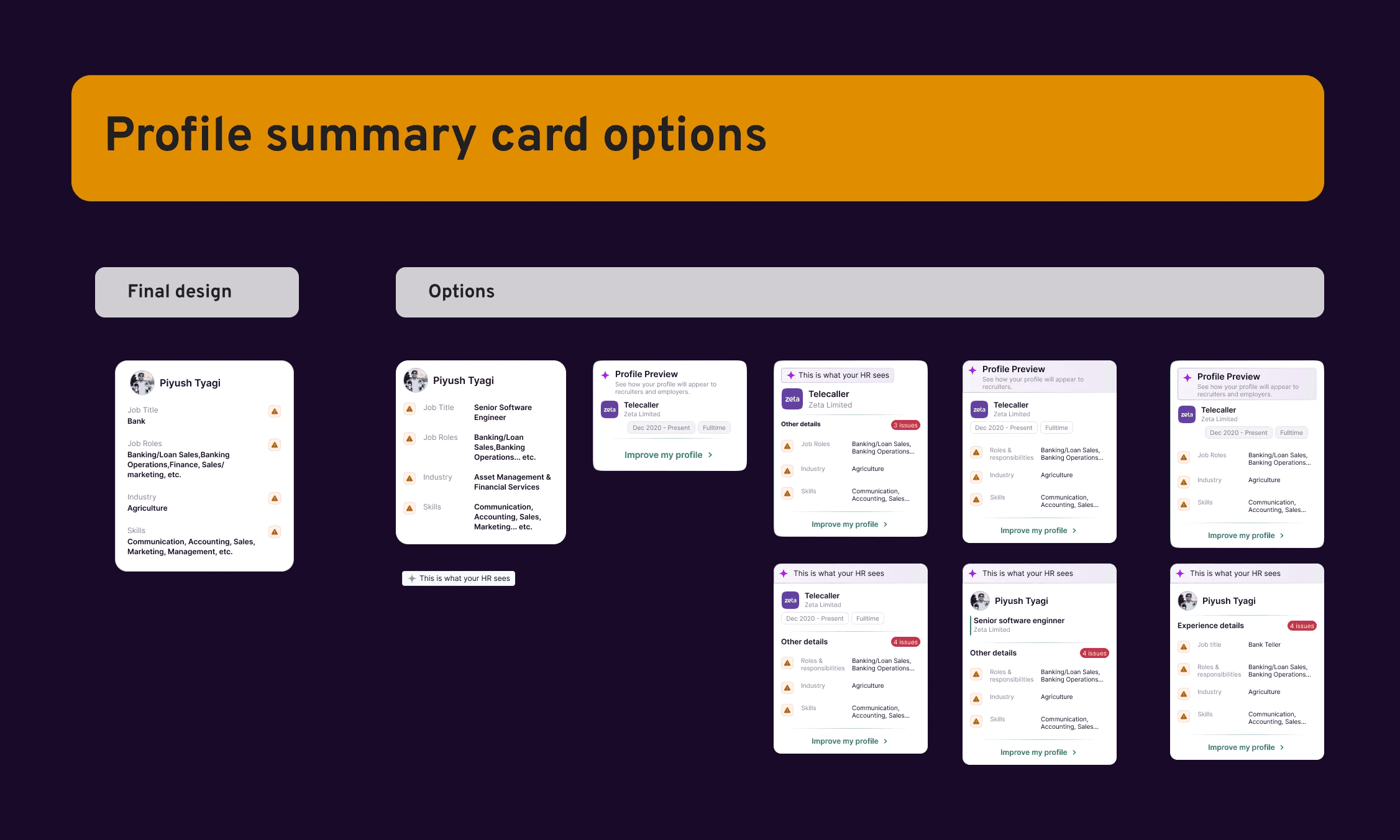
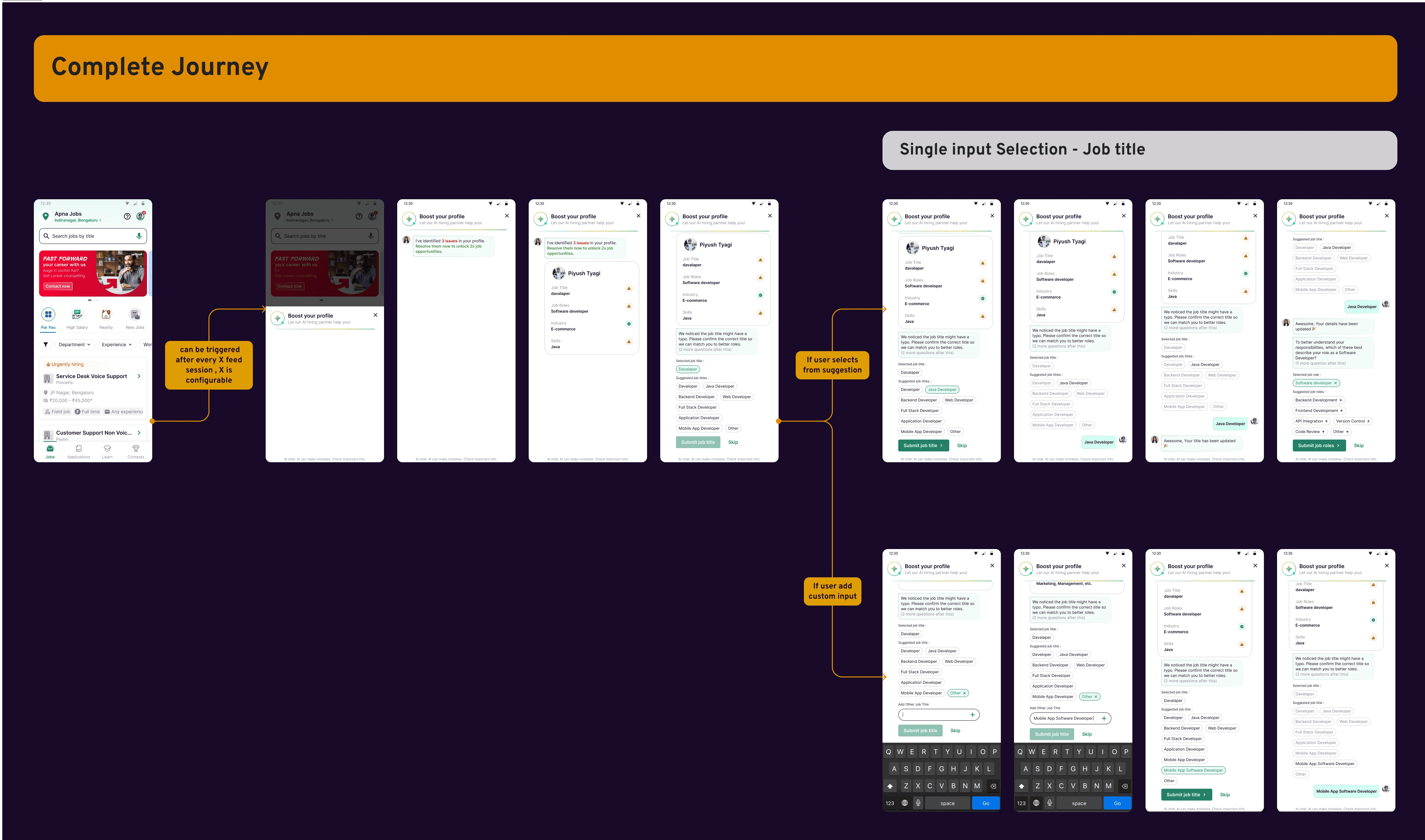
V1 - Fix the Profile, Feed the Taxonomy
A card flags what's missing. An LLM asks and suggests fixes. Every answer sharpens apna's job taxonomy underneath it.
04
Title — 49,693 total interactions after 10% test rollout
Over half of title prompts converted into a real edit. But more than a quarter of role and skill prompts were shown, read, and skipped outright — the hypothesis was directionally right, but far too blunt."
completed the full flow within 1 day (50% at 10% test rollout)
total interactions
52.5%
Profile changed
27.8%
Skipped
19.7%
Unchanged (read)


05
Usability testing and research insight - What broke in practice
Usage metrics weren't isolated for v1 alone — the audit below is what shaped everything after it. usability testing and follow-up phone interviews.


06
Steps taken to improve the experience
Based on usability testing and follow-up phone interviews, here's what changed.



07
V2 — Same Bot, Redesigned
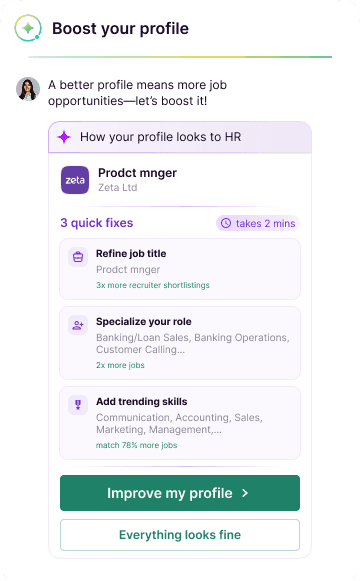
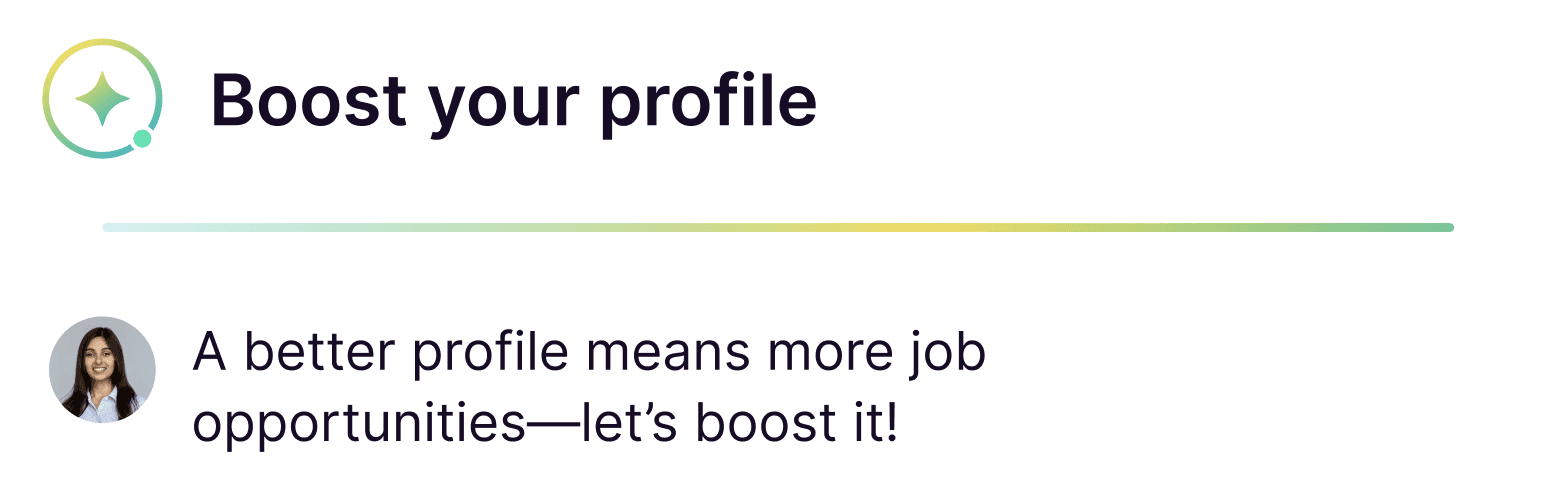
Same bot, rebuilt around what the research found. Cleaner cards, one question at a time, and a review that reads like help — not a warning.

Short intro
Context card
Numbered issues
Stepper (1/3)
Short header, short subtext
Time estimate
Editable chip
Clearly marked AI-suggested options
08
V2 User Flow
A card flags what's missing. An LLM asks and suggests fixes. Every answer sharpens apna's job taxonomy underneath it.

09
Metrics that made imapct
Usage metrics weren't isolated for v1 alone — the audit below is what shaped everything after it. usability testing and follow-up phone interviews.
Over half of title prompts converted into a real edit.
total interactions
76.5%
Profile changed
90%
interaction rate
67%
Role and Skills noise cut
10
What's Next
Usage metrics weren't isolated for v1 alone — the audit below is what shaped everything after it. usability testing and follow-up phone interviews.
New thoughts
Expand beyond profile enrichment
apply the same logic to job applications, resume formatting, and other required fields like experience and education.
Split the bottom-sheet's impact from the logic-gate's impact with a real A/B test.
Push the higher-temperature prompt further — it's already in early trials.
Extend the skip-rules beyond title, role, and skill to more profile fields.
Make research an ongoing habit, not a once-per-version sprint.